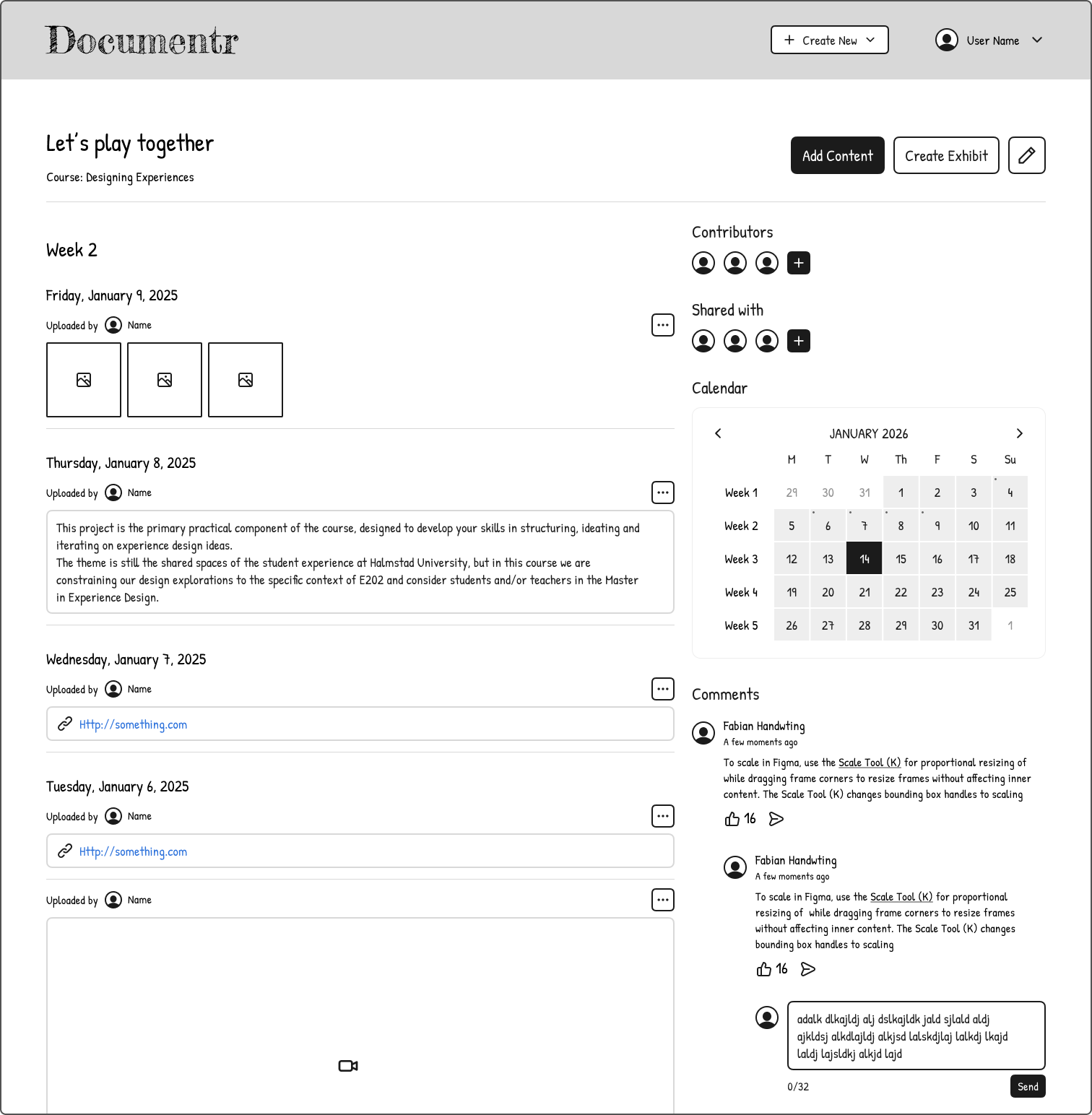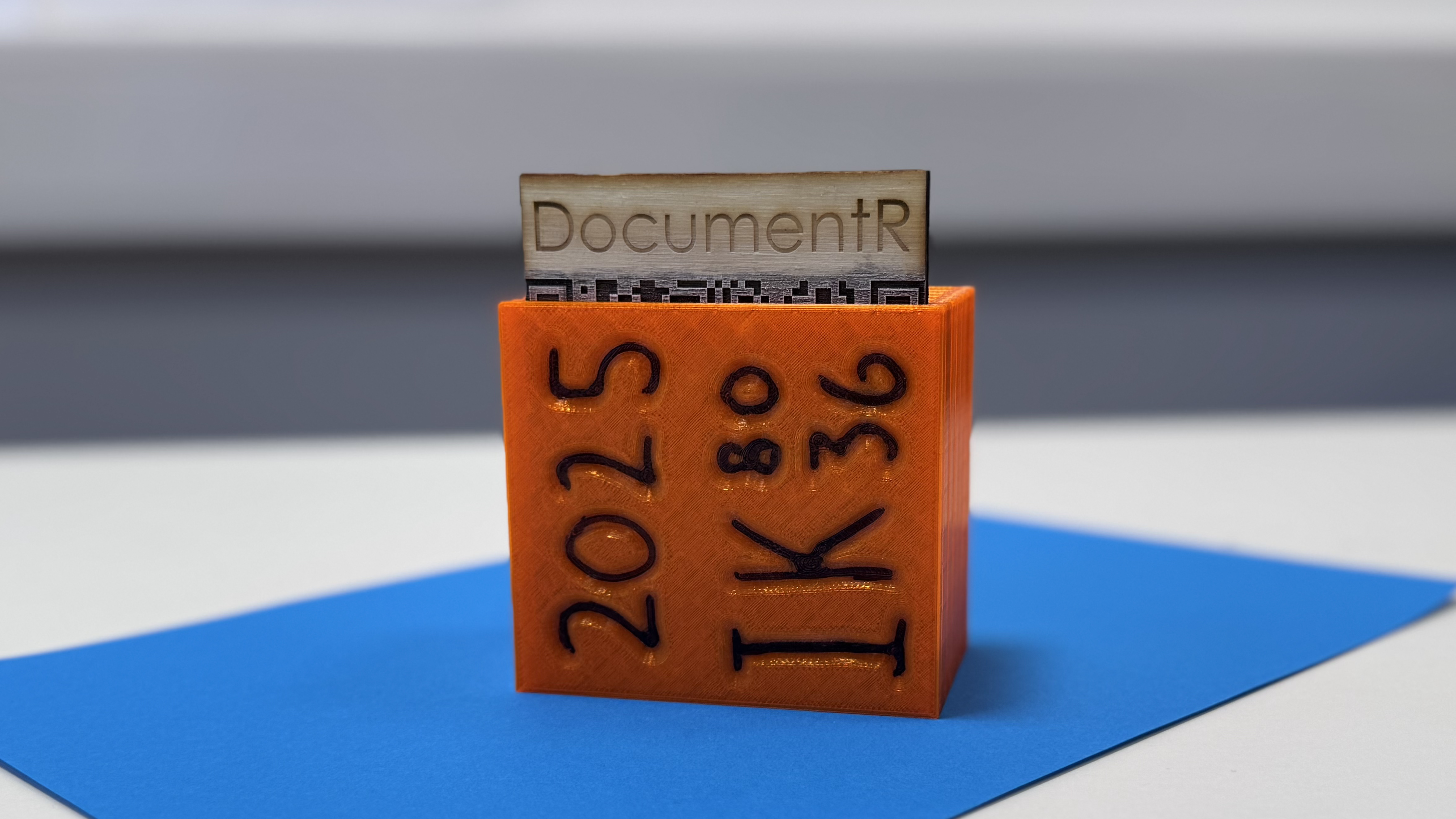
We designed a web application (Documentr) that allows students to document their journey through university projects as a group. They will also be able to create a project web page for prospective employers to review their work. Additionally, a physical display piece will be displayed in room E202. We hope this will spark curiosity and serve as a link to the project's web page, inspiring future students.
In this project, I contributed to idea generation, IA, UX, and wireframe design.
Ideation
Our ideation began with a strong interest in leveraging cutting-edge technology and a desire to merge information environments across the digital and physical spaces. So we fixated on creating a portfolio showcase within a VR world that begins in our class, E202, and that users can journey through, similar to “Alice in Wonderland”. In our research, we found there are different types of experience. We chose to walk through rooms of design artifacts from the class using buttons that come with VR glasses.
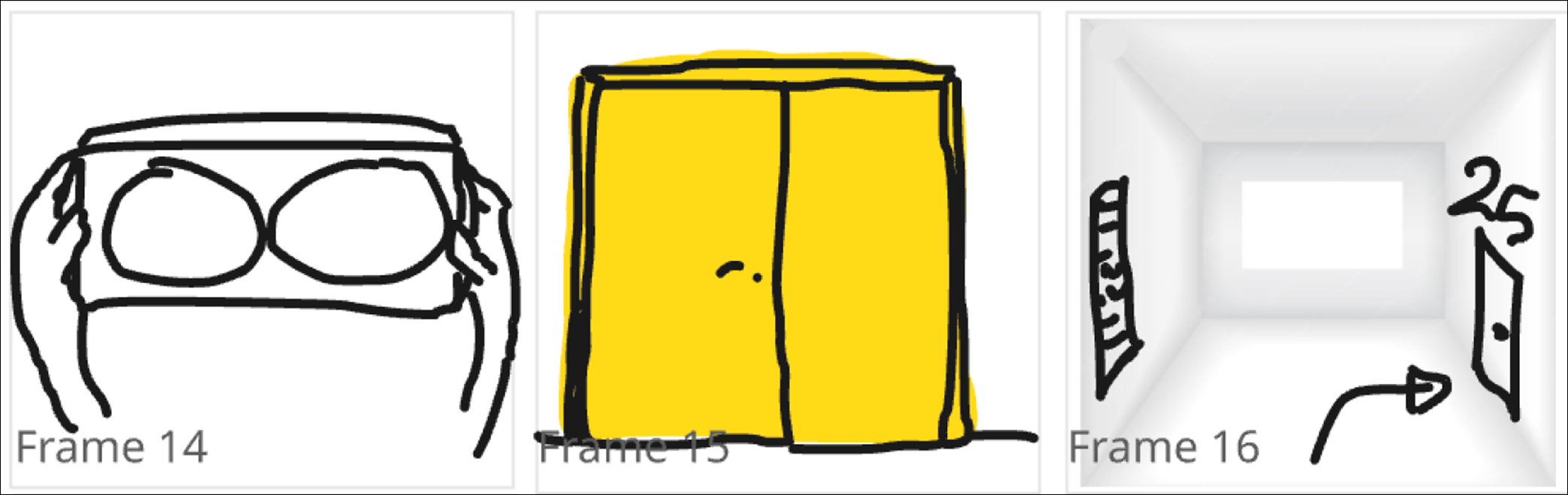
We discard this idea because we discovered during the 3D scanning of one artifact that this process is error-prone and would add time and burden to students if they were to use it.
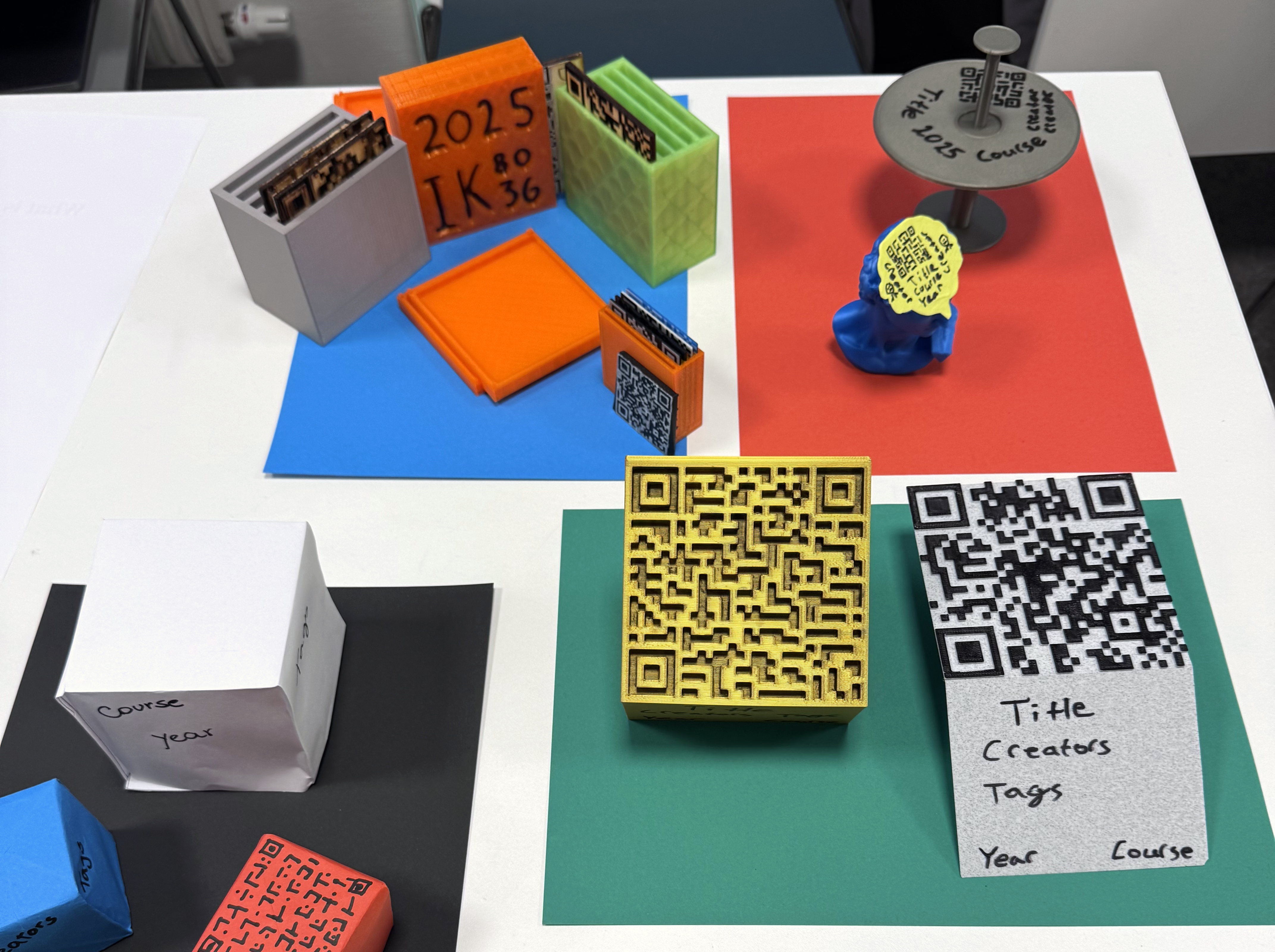
Our aha moment came during a short residence sprint, based on interviews with current E202 students, when we finally skewed our idea using associative methods. We decided to build a document management system for publishing student projects rather than a VR world. To promote use, we designed an easy-to-create 3D card that displays a QR code linking to the webpage. This will also help to have a physical entity in the class. However, students can still display their models or any creative showpiece and just use the QR code from the app.
Information Architecture
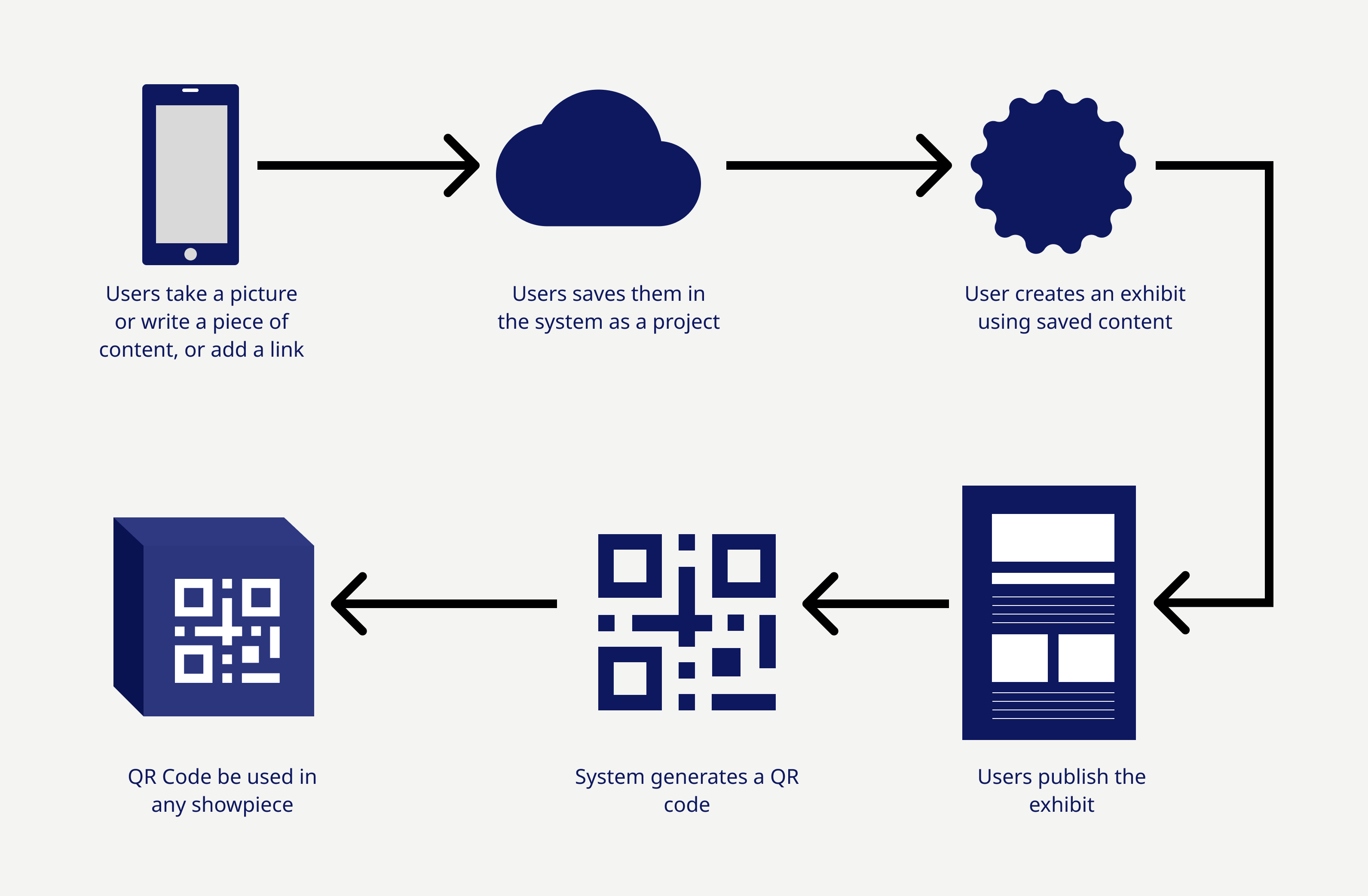
The system we designed has three parts. The first part involves collecting data; the second, storing and displaying it under a project name; and the final part, publishing and sharing it.
Content type includes text, images, videos, and URLs. Using the web app or phone app, users can write notes, upload images and videos, and add a link to the thread.
These contents are tied to a project. The project home displays data in reverse-chronological order. Additionally, on this page, there are options to share an opinion for a member of the group, and for users it has been shared with. A calendar indicates the dates entries were made.
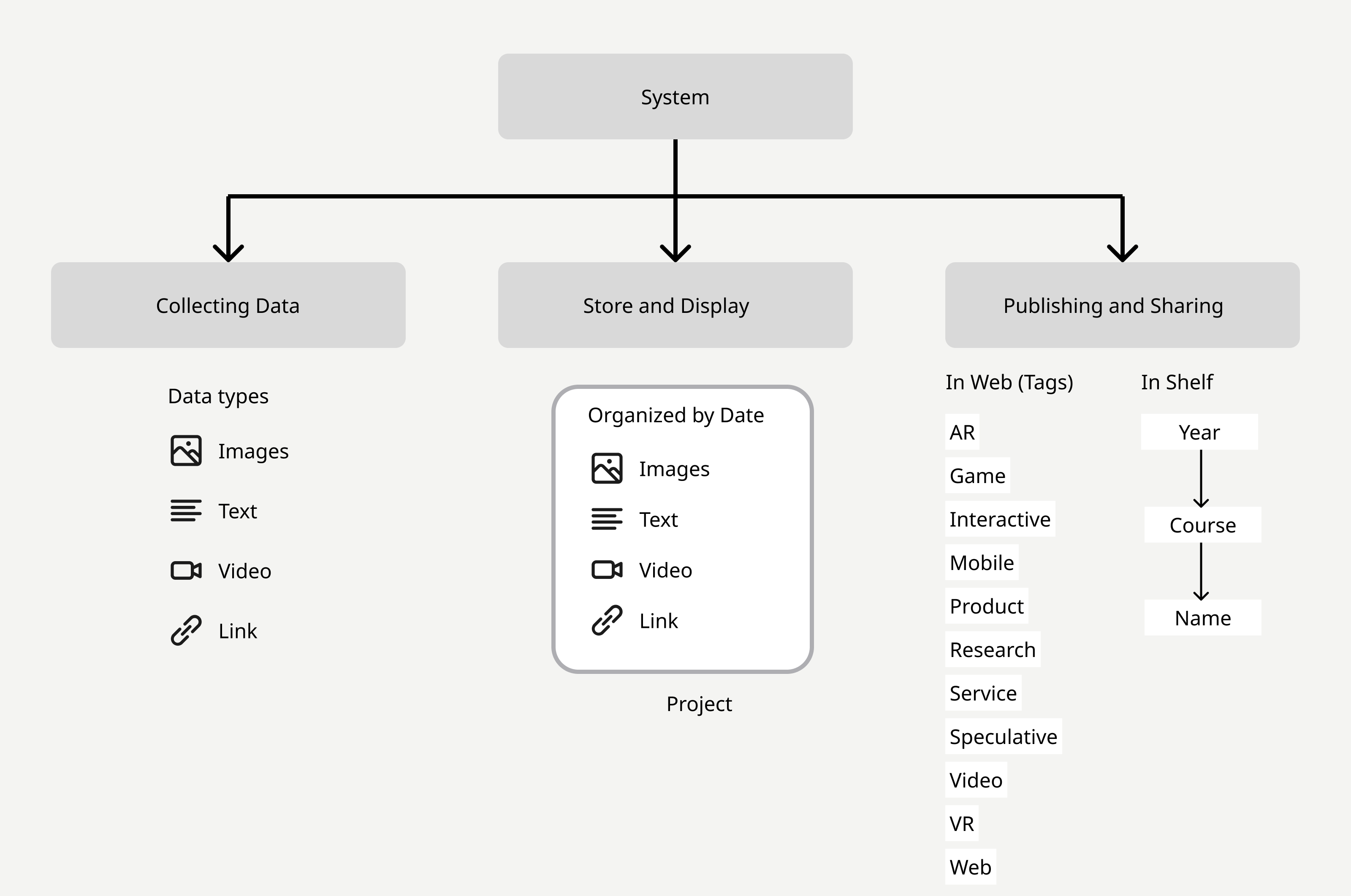
These entries could also be used to create an “Exhibit”, which is an “exhibit” entry posted and available on a website. The link can be shared via social media, or a QR code can be printed on a 3D-printed box or a paper box.
These exhibitions are organized on a home page with search and tag-based categorization. For the first draft, we chose AR, Game, Interactive, Mobile, Product, Research, Service, Speculative, Video, VR, and web as tags. More items may be added in the future.
Process
From the beginning, our goal was to help students showcase their work to potential employers and to inspire future students.
However, to reach our final product, we employed ideation methods and modified the design using heuristics similar to the SCAMPER method. Where we substitute VR with a website. We also conducted brainstorming sessions among team members to generate and refine ideas.
When we have the documentation idea, we research exciting solutions to see what's available. We found a lack of product offerings to help students manage their documentation.
We also conducted interviews with students to identify their pain points with other solutions. One person used a solution at her previous institution, where she had to send all the portfolio documents to a webmaster, who would then publish them. To prevent that, we employed self-publishing.
Once we had all the information, we created a happy flow and a paper prototype to gather feedback from our peers in the class. This eliminates some features we were planning to include, for example, comments in the portfolio, which students thought might receive unnecessary reviews and could influence employers' opinions.
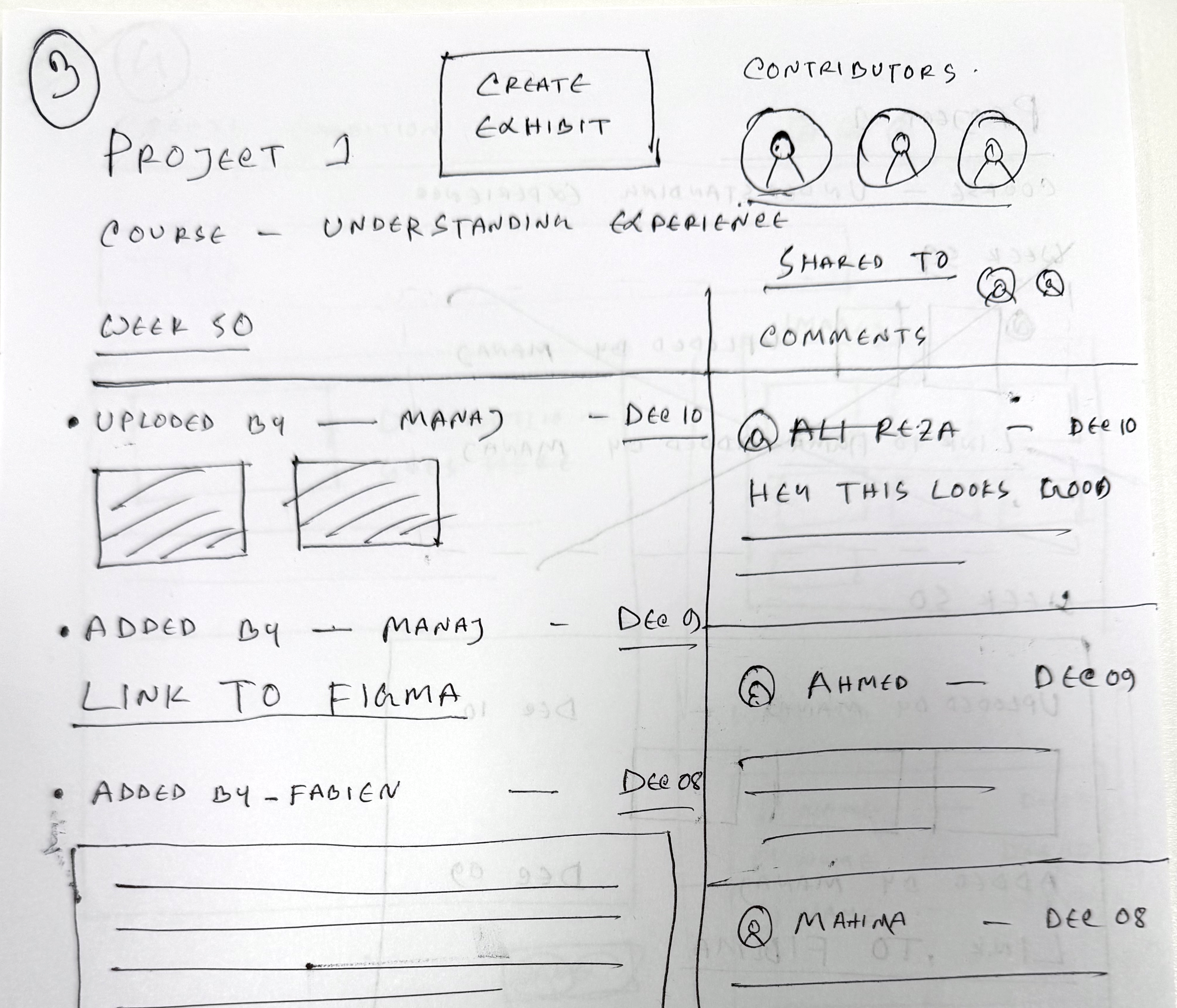
Finally, once we were satisfied with the paper prototype, we created our MVP version of the system in low-fidelity wireframes and designed 3D-printed and paper showpieces for the class showcase.
Solution
Our final solution is a perfect balance of physical and digital space. Each project takes a significant time for each student. While working on it, they can keep updating their work in progress. They can create an exhibit in the system or somewhere else, but they can still produce a showpiece for the class. Both system works independently as well as in harmony.
Learning
During this process, I discovered that using design methods makes it faster to come to a solution. I also learned that it's important to solve a problem with simple tools rather than using cutting-edge technologies, which often requires work about work.
One limitation is that we have yet to add versioning to our project page, so users can look back and use any asset they have changed, which is a common feature in asset management. Additionally, in our preliminary plan, we considered developing a mobile application for asset collection, but we paused to focus on building an MVP.